MTK Flash covers MediaTek-based Xiaomi devices. MTK v5 and MTK v6 (old/new security) all follow the same process below — the only difference is which chipset option you pick in the first step.
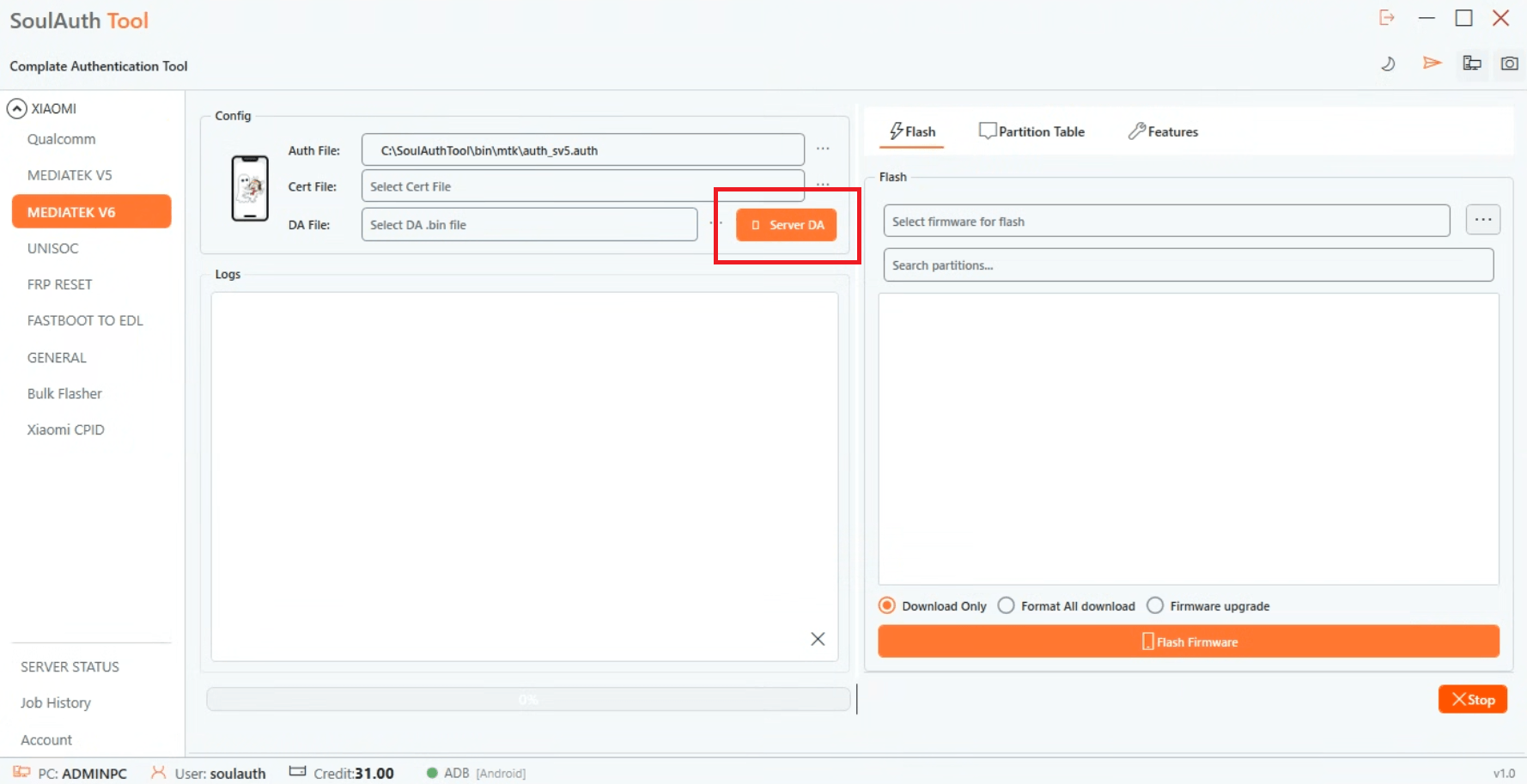
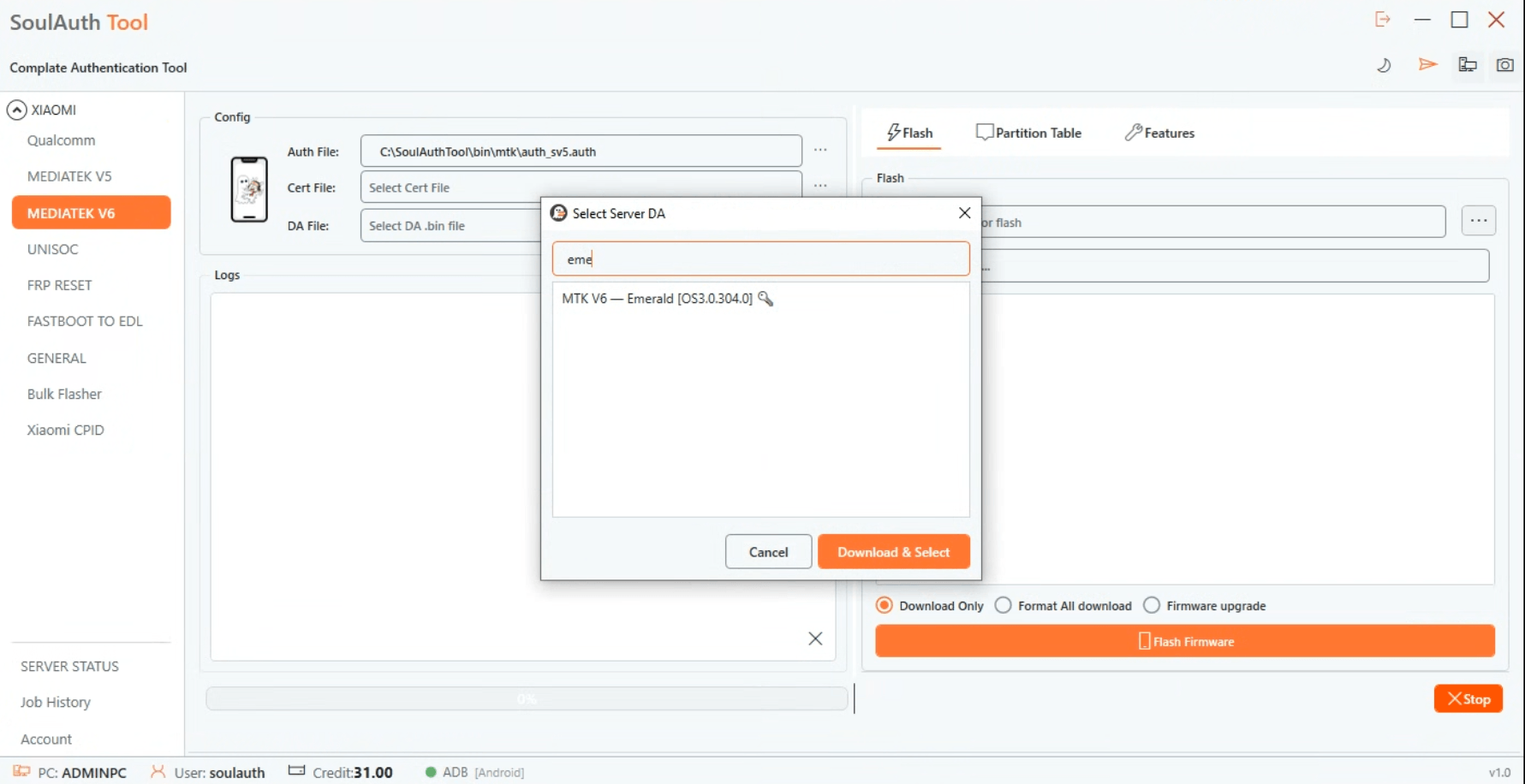
Step 1: Select Your Chipset and Server DA
Choose MediaTek V5 or V6 depending on your device, then pick the correct product from Server DA.
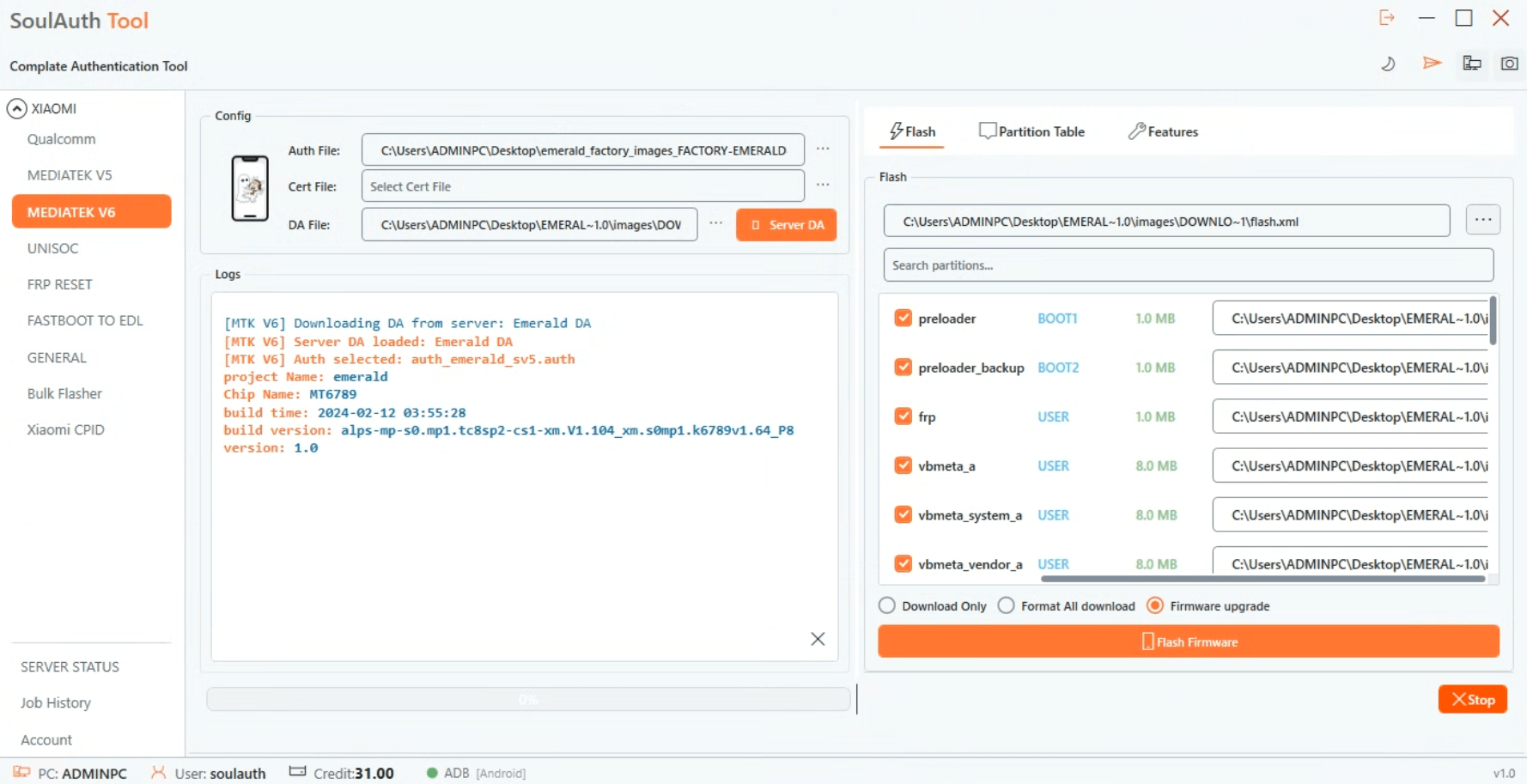
Step 2: Select Firmware for Flash
Choose your firmware file for flashing.
Step 3: Start Flashing
Click Flash Firmware, then connect your device in BROM mode so the tool can read the firmware.
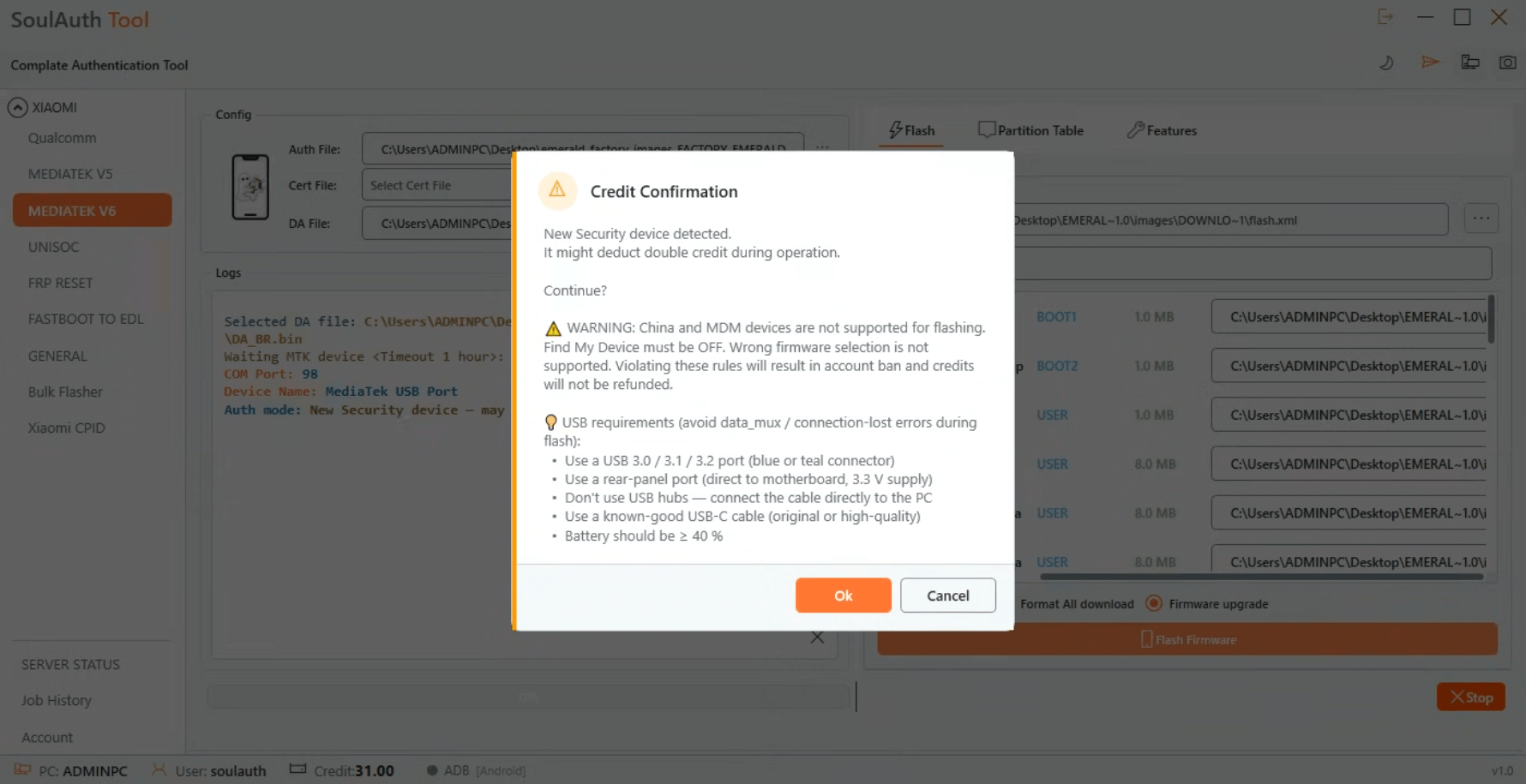
Step 4: Confirm the Security Warning
A dialog will show device requirements and rules. If you're sure everything is correct, click OK to continue.
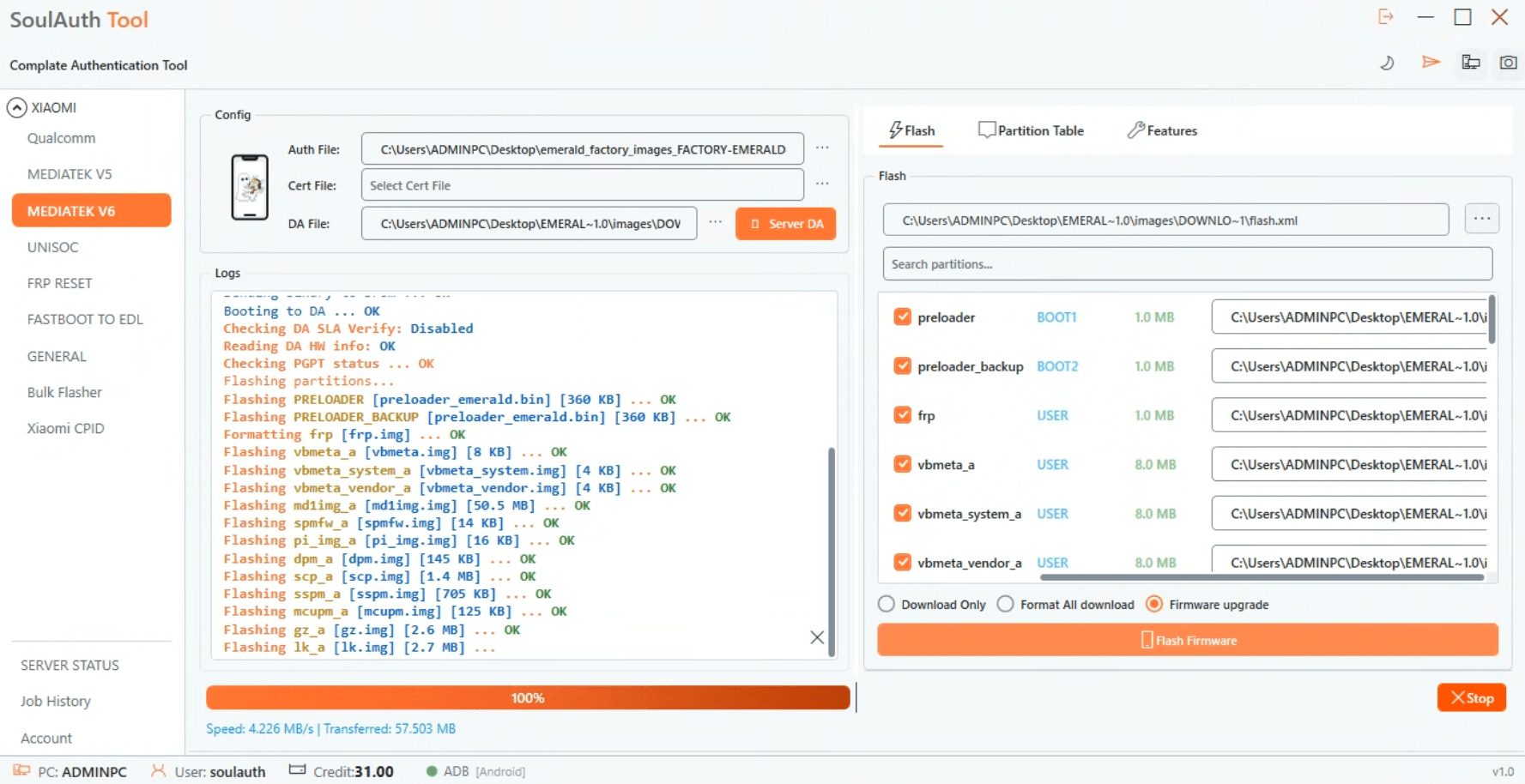
Step 5: Monitor the Flash Progress
You can follow the flashing process live in the log window.
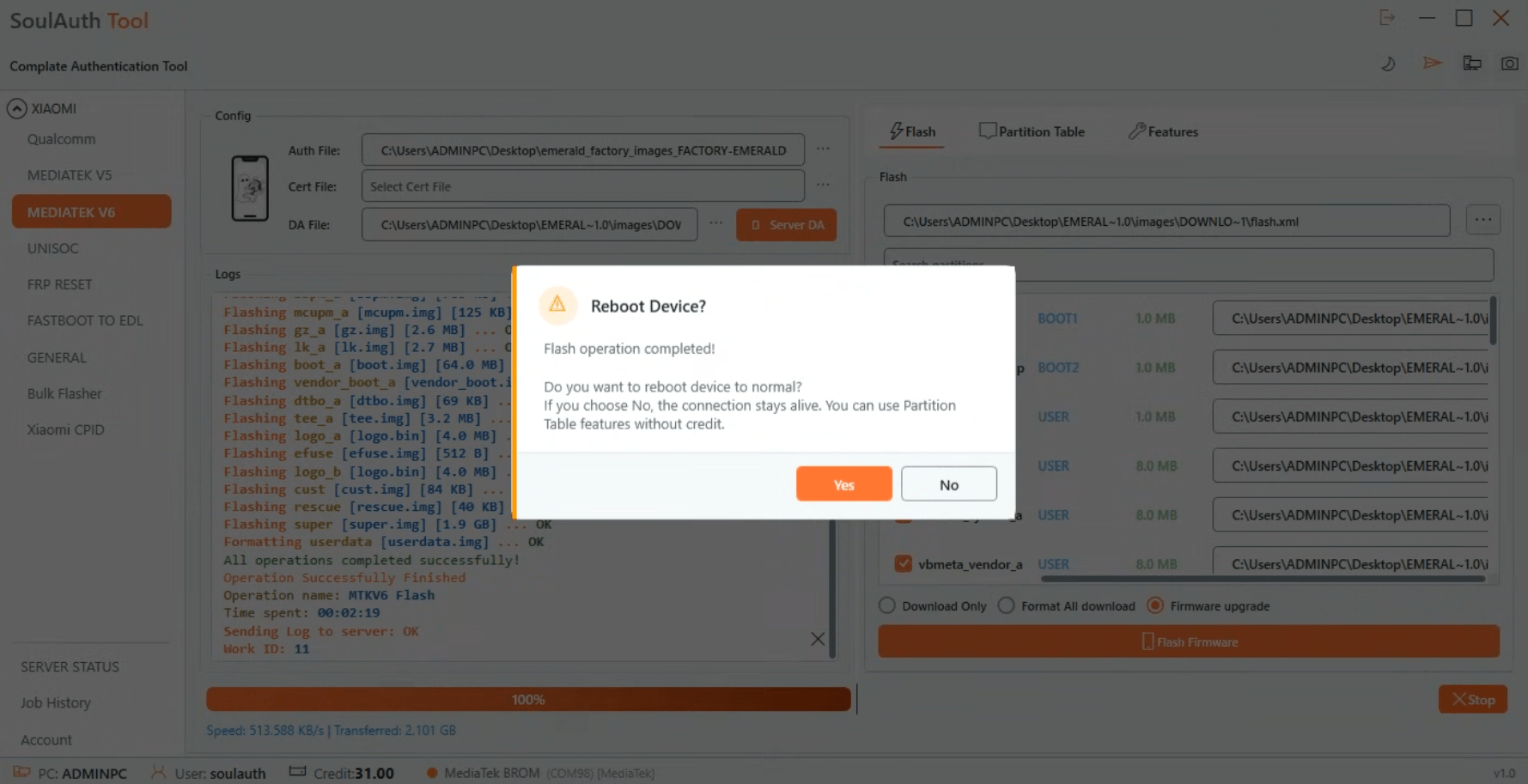
Step 6: Reboot When Complete
Once flashing finishes, the tool asks if you want to reboot the device. Click Yes to reboot it now.
Need Help?
If you run into any issues during the process, you can exchange ideas and get support from other users in the Community Chat section on our website.
Need this done on a real device right now?
Run it through SoulAuth's tools — no manual exploits, no guesswork.
View Services