Xiaomi Dual CPID is used to correct a device's Critical Data (IMEI1, IMEI2, Wi-Fi MAC, BT MAC, Product) after a board repair or a wrong write. This guide walks through the full process using DFT PRO TOOL, from taking the backup to writing the final file back to the device.
Not Supported
The following device types and lock conditions are not supported by this service. Orders placed for unsupported devices will not be processed:
- China Devices
- Xiaomi ID Locks
- MDM Restrictions
- PayJoy Locks
Before You Start
Since we prefer using DFT PRO TOOL, the steps below are explained using that tool. If you have any other tool that can perform Critical Data read / write on Xiaomi devices, you may use that as well.
First, create your Critical Data backup with DFT PRO TOOL. This backup is required both for placing the order and for fixing the device if any incorrect action is made during the process.
Step 1: Load Your Backup into SoulAuth
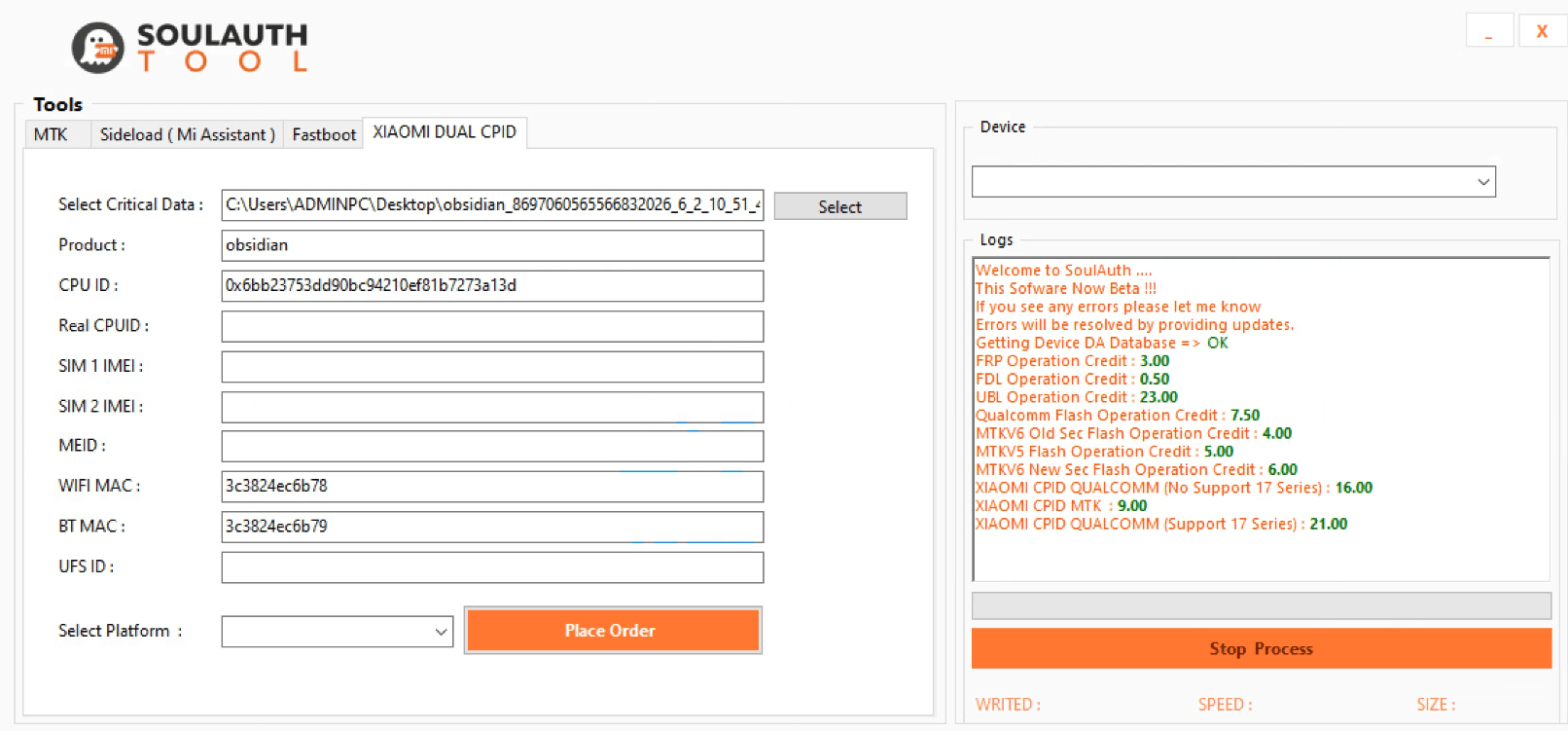
Read your backup file in the Xiaomi Dual CPID section on SoulAuth.
Step 2: MTK Devices — Copy the Long CPUID
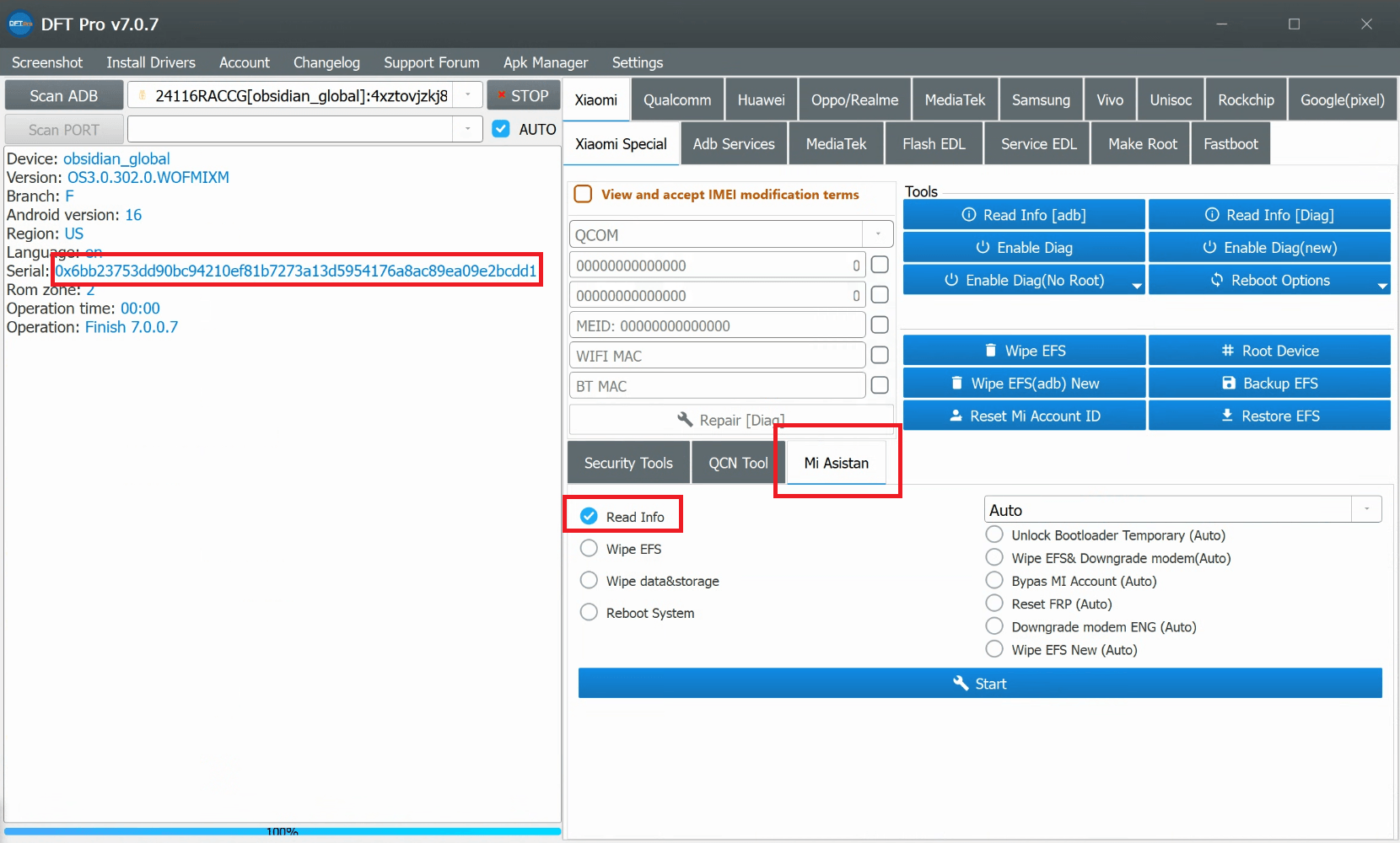
If your device is MTK, reboot the device into MI ASSISTANT mode. Copy the long CPUID highlighted in red and paste it into the SoulAuth CPUID field.
Step 3: Review the Order and Select the Platform
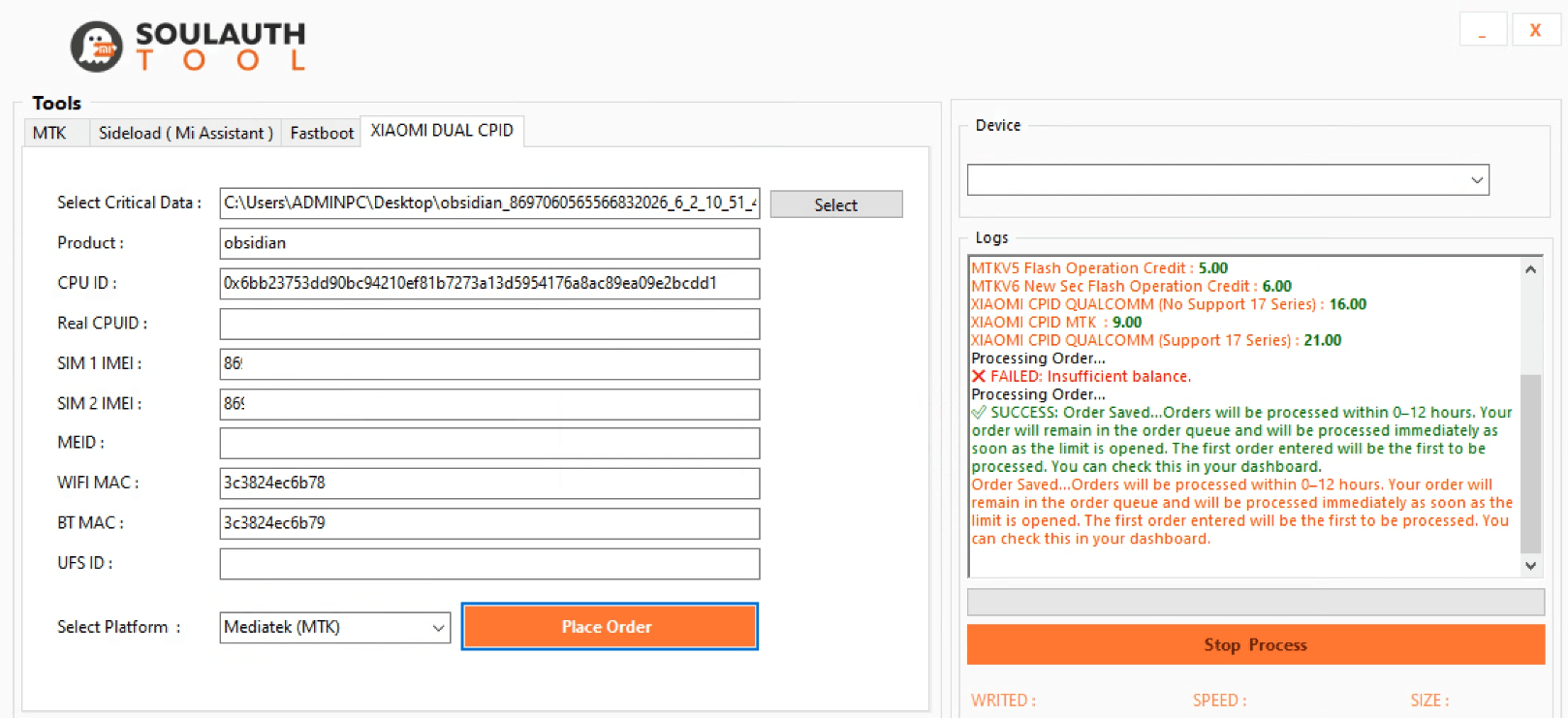
Check your order details and select the correct platform for your device: MTK, QC, or Xiaomi 17 Series (QC). Then click Place Order. Your process will be completed within 0–12 hours.
Step 4: Check Completion and Write the File
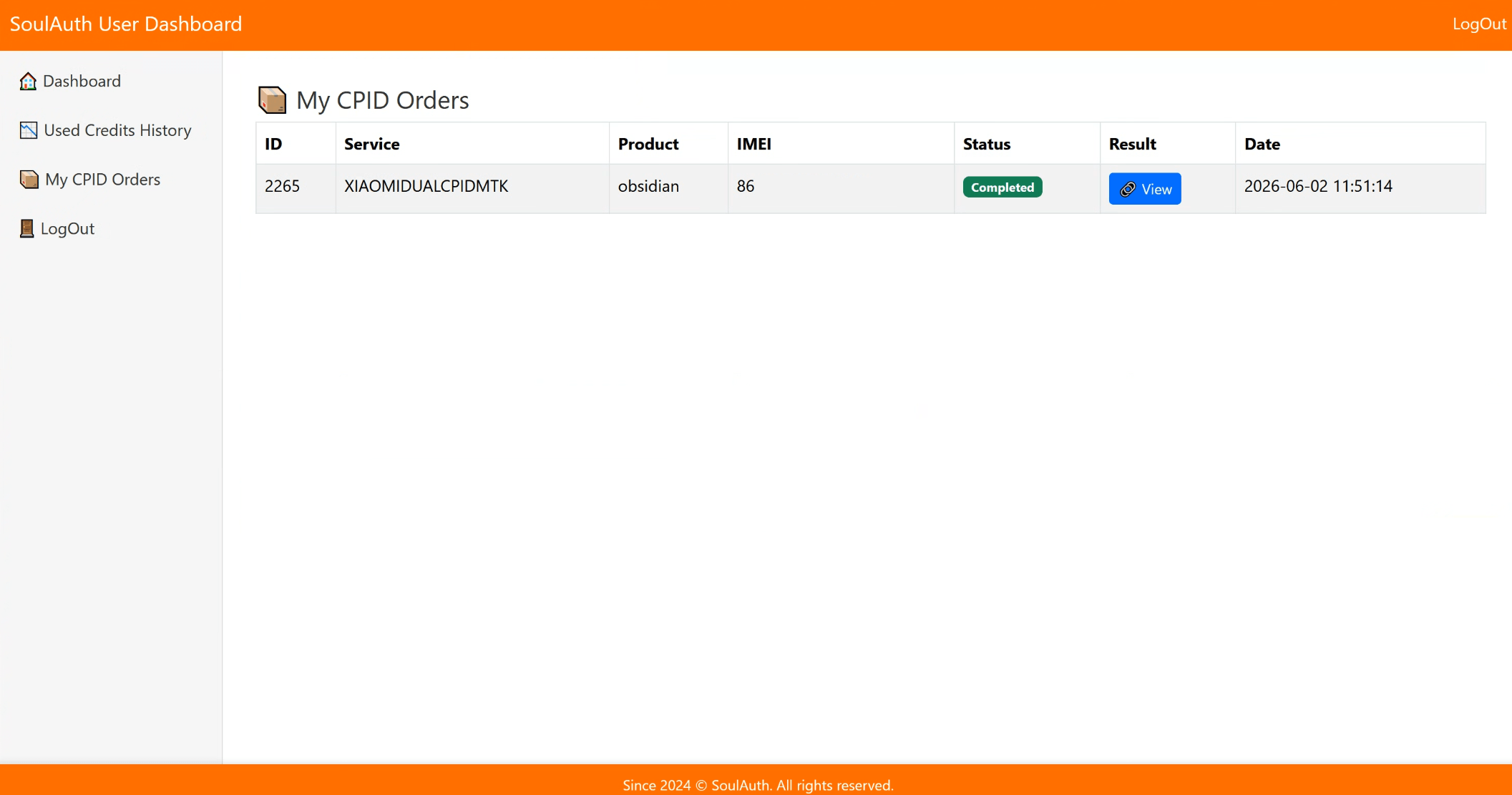
After logging in at soulauth.com, you can check whether the process is completed in the My CPID Orders section. Download the file and write it back to your device.
Important Notes
- Make sure to fill in all required fields in the tool: CPUID, Product, IMEI1, IMEI2, Wi-Fi MAC, BT MAC.
- Double-check the Product value. If you are not sure, use Minimal ADB and Fastboot and run `fastboot getvar product` to identify it.
- If you wrote the Critical Data but the IMEIs did not change, perform a factory reset and try again. If it still does not work, flash an ENG Firmware first, then retry.
- Do NOT perform CPID if a Resistor operation was already done on the device. You may suffer financial loss.
- The Critical Data file is generated by the server based on the information you provide. You are fully responsible for any incorrect information or any device-related issue, and there is no cancellation or refund.
Device-Specific Tips
VEUX
Step 1: Flash ENG MODEM → Step 2: Perform CPID → Step 3: Flash back STOCK MODEM
SUNSTONE
If your device is on HyperOS 2, you must downgrade to HyperOS 1 before performing CPID.
MOONSTONE
Step 1: Flash ENG ROM → Step 2: Perform CPID → Step 3: Flash back STOCK ROM
Need Help?
If you experience any issues during the process, you can exchange ideas and get support from other users in the Community Chat section on our website.
Need this done on a real device right now?
Run it through SoulAuth's tools — no manual exploits, no guesswork.
View Services